
nvidia-smi 常用命令
Persistence Mode
A flag that indicates whether persistence mode is enabled for the GPU. Value is either "Enabled" or "Disabled". When persistence mode is enabled the NVIDIA driver remains loaded even when no active clients, such as X11 or nvidia-smi, exist. This minimizes the driver load latency associated with running dependent apps, such as CUDA programs. For all CUDA-capable products. Linux only.
GPU 是否启用了持久模式的标志, Enabled 或 Disabled。启用持久性模式后,即使没有活跃的客户端 (例如 X11 or nvidia-smi),也会持续的加载NVIDIA 驱动。这样可以减少驱动程序加载延迟。适用于所有支持 CUDA 的产品。该模式仅在 Linux 可用。
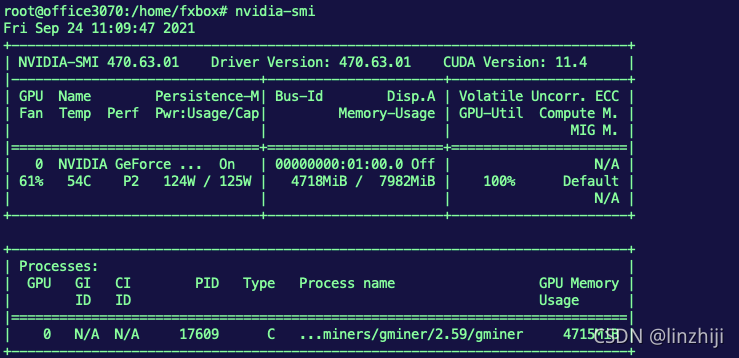
nvidia-smi
基础查询
 nvidia-smi -L
显卡列表

nvidia-smi --query-gpu=index,name,uuid,serial --format=csv
list certain details about each GPU

nvidia-smi dmon
定时刷新,1秒1次

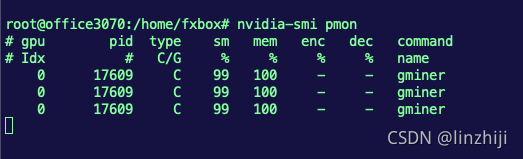
nvidia-smi pmon
监控应用对GPU的使用率,1秒1次
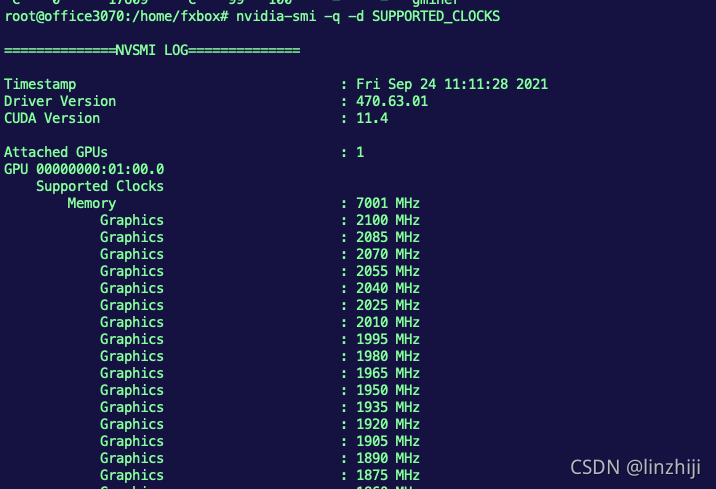
nvidia-smi -q -d SUPPORTED_CLOCKS
A listing of available clock speeds can be shown for each GPU
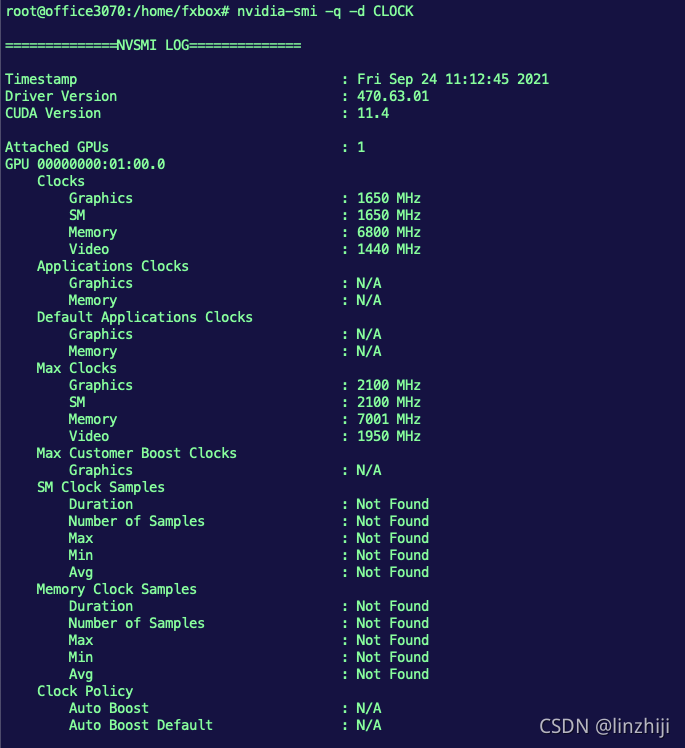
nvidia-smi -q -d CLOCK
To review the current GPU clock speed, default clock speed, and maximum possible clock speed
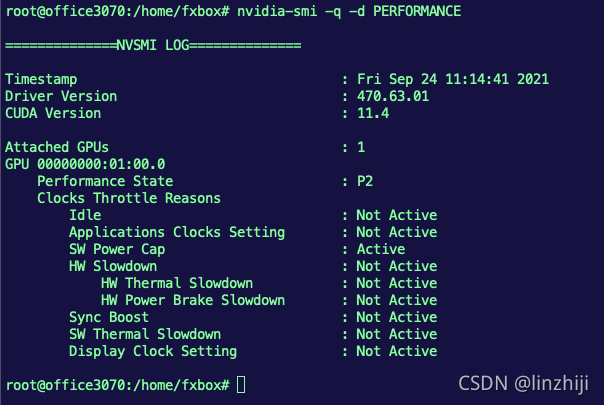
nvidia-smi -q -d PERFORMANCE
To review the current state of each GPU and any reasons for clock slowdowns, use the PERFORMANCE flag:
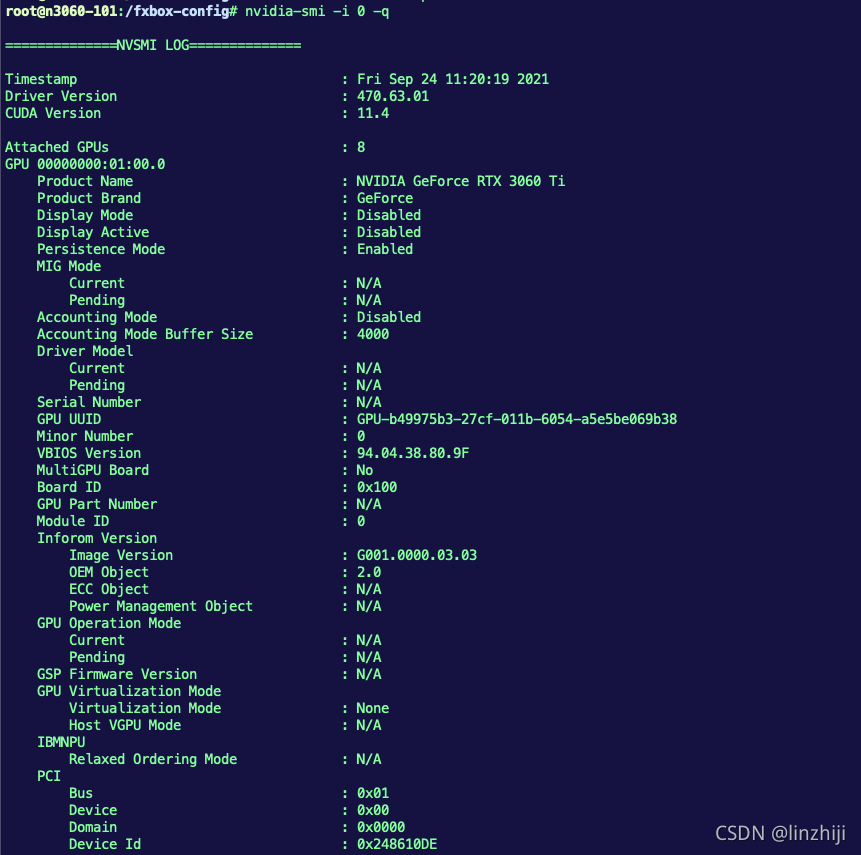
nvidia-smi -i 0 -q
To list all available data on a particular GPU, specify the ID of the card with -i. Here’s the output from an older Tesla GPU card:
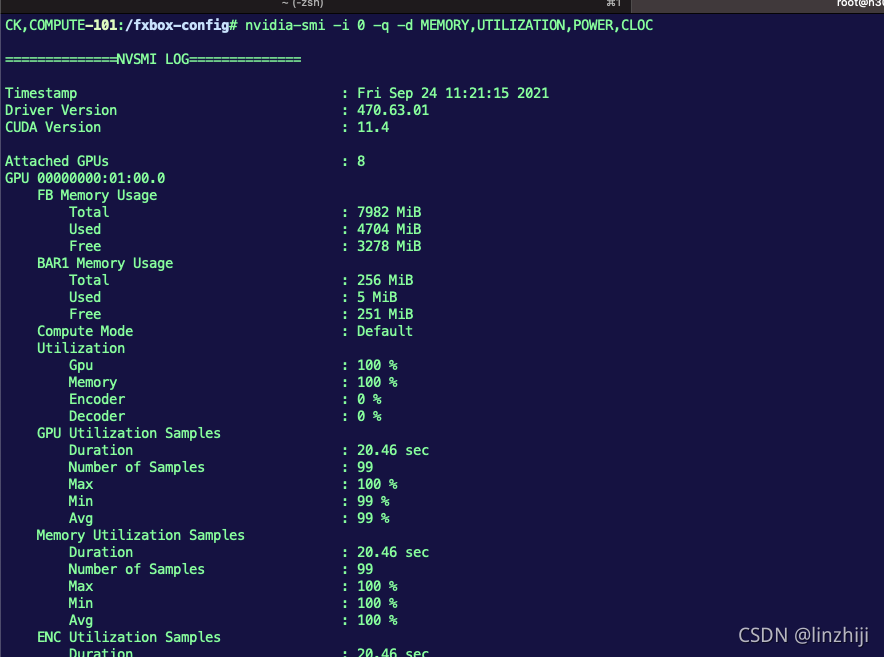
nvidia-smi -i 0 -q -d MEMORY,UTILIZATION,POWER,CLOCK,COMPUTE
-pm,  --persistence-mode=   Set persistence mode: 0/DISABLED, 1/ENABLED
-e,   --ecc-config=         Toggle ECC support: 0/DISABLED, 1/ENABLED
-p,   --reset-ecc-errors=   Reset ECC error counts: 0/VOLATILE, 1/AGGREGATE
-c,   --compute-mode=       Set MODE for compute applications:
                                0/DEFAULT, 1/EXCLUSIVE_PROCESS,
                                2/PROHIBITED
--gom=                Set GPU Operation Mode:
                                    0/ALL_ON, 1/COMPUTE, 2/LOW_DP
-r    --gpu-reset           Trigger reset of the GPU.
                                Can be used to reset the GPU HW state in situations
                                that would otherwise require a machine reboot.
                                Typically useful if a double bit ECC error has
                                occurred.
                                Reset operations are not guarenteed to work in
                                all cases and should be used with caution.
-vm   --virt-mode=          Switch GPU Virtualization Mode:
                                Sets GPU virtualization mode to 3/VGPU or 4/VSGA
                                Virtualization mode of a GPU can only be set when
                                it is running on a hypervisor.
-lgc  --lock-gpu-clocks=    Specifies  clocks as a
                                    pair (e.g. 1500,1500) that defines the range
                                    of desired locked GPU clock speed in MHz.
                                    Setting this will supercede application clocks
                                    and take effect regardless if an app is running.
                                    Input can also be a singular desired clock value
                                    (e.g. ).
-rgc  --reset-gpu-clocks
                                Resets the Gpu clocks to the default values.
-ac   --applications-clocks=     Specifies  clocks as a
                                 pair (e.g. 2000,800) that defines GPU's
                                    speed in MHz while running applications on a GPU.
-rac  --reset-applications-clocks
                                Resets the applications clocks to the default values.
-acp  --applications-clocks-permission=
                                Toggles permission requirements for -ac and -rac commands:
                                0/UNRESTRICTED, 1/RESTRICTED
-pl   --power-limit=        Specifies maximum power management limit in watts.
-am   --accounting-mode=    Enable or disable Accounting Mode: 0/DISABLED, 1/ENABLED
-caa  --clear-accounted-apps
                                Clears all the accounted PIDs in the buffer.
--auto-boost-default= Set the default auto boost policy to 0/DISABLED
                                or 1/ENABLED, enforcing the change only after the
                                last boost client has exited.
--auto-boost-permission=
                                Allow non-admin/root control over auto boost mode:
0/UNRESTRICTED, 1/RESTRICTEDnvidia-smi: Control Your GPUs | Microway
Ubuntu Manpage: nvidia-smi - NVIDIA System Management Interface program

分享最新的 NVIDIA AI Software 资源以及活动/会议信息,精选收录AI相关技术内容,欢迎大家加入社区并参与讨论。
更多推荐

 1
1 0
0- 0


 已为社区贡献1条内容

所有评论(0)