
Unity animator 动画实现指定时间开始播放
·
在我们使用Unity帧动画时,如用到同一个帧动画的部分动画,那么我们可以考虑用指定播放时间的方法实现。
如我在场景中创建一个2D帧动画,并创建一个2D对象使用该帧动画。
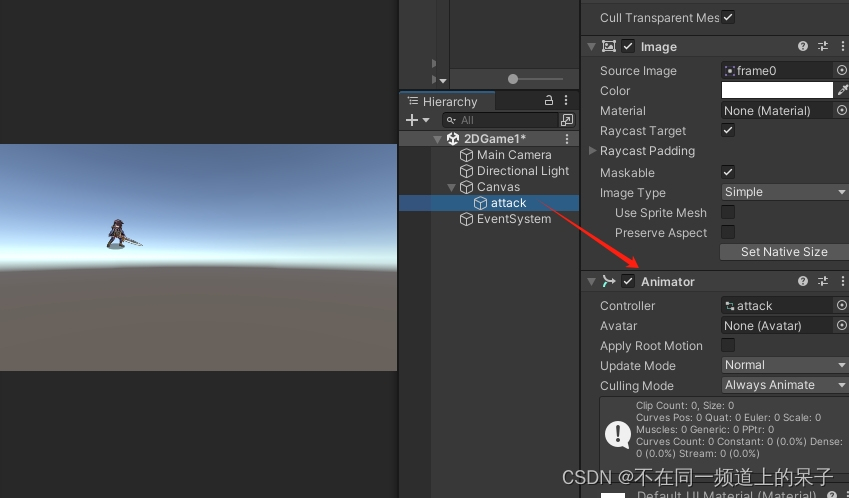
然后复制该2D对象,并创建一个控制脚本GameController1.cs:
using System.Collections;
using System.Collections.Generic;
using UnityEngine;

public class GameController1 : MonoBehaviour
{
    public Animator animator;
    public bool simple;
    // Start is called before the first frame update
    void Start()
    {

    }

    // Update is called once per frame
    void Update()
    {

    }

    public void BeginPlay()
    {
        if(simple)
        {
            animator.PlayInFixedTime(0, -1, 1);
        }

    }
}
这里animator.PlayInFixedTime(0, -1, 1);就是用于指定动画开始播放时间的方法。
把脚本放到复制对象中。
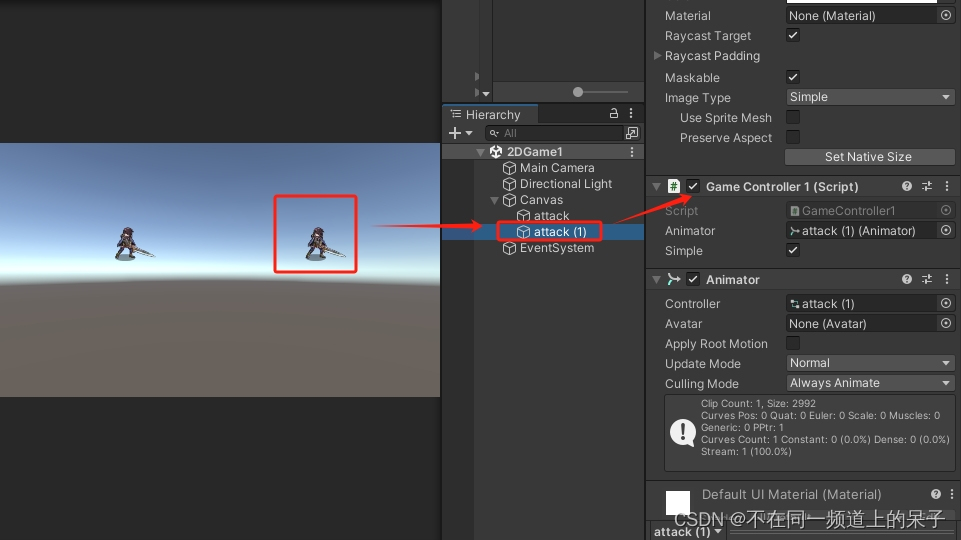
然后在帧动画播放结束后调用BeginPlay()方法,这样就可以实现帧动画播放完毕后,再从指定时间开始播放。
效果如下:
Unity animator 动画实现指定时间开始播放

分享最新的 NVIDIA AI Software 资源以及活动/会议信息,精选收录AI相关技术内容,欢迎大家加入社区并参与讨论。
更多推荐

 11
11 0
0- 0


 已为社区贡献1条内容

所有评论(0)